
Dashboard
The Dashboard is your command center as an admin. It gives you a quick, bird’s-eye view of how things are running across your organization so you can spot issues early and keep your team on track.
ERP Status
Section titled “ERP Status”The ERP Status section shows you whether your POS integration is running smoothly.
- Last sync time — see exactly when inventory data was last pulled from your POS system
- Error alerts — quickly identify if something went wrong with a recent sync
- Data freshness — know at a glance whether your inventory data is current or getting stale
If you notice the last sync time is older than expected, it may be worth checking your integration settings on the Integrations page.
User Adoption
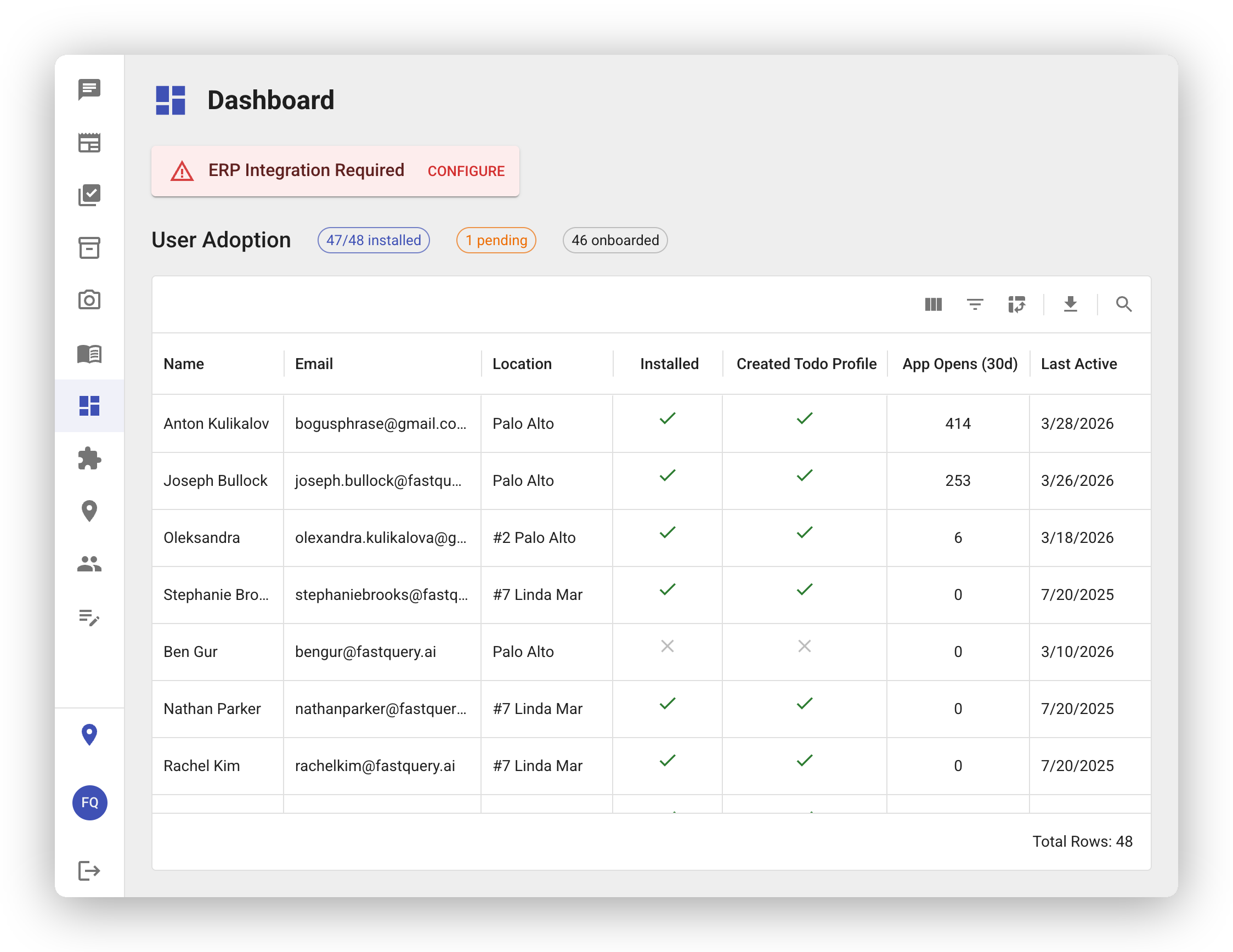
Section titled “User Adoption”The User Adoption section helps you understand how your team is engaging with FastQuery.
- Active users — see how many people on your team are regularly using the platform
- Last login times — find out when each user was last active, so you can follow up with anyone who might need help getting started
- App version — check which version of the app your team members are running to make sure everyone is up to date
The Weekly Report
Section titled “The Weekly Report”The dashboard is where you go look; the weekly report comes to you. Every Sunday evening, FastQuery posts each store’s week to its newsfeed — what needs attention, what the team got done, and what’s worth doing next — and posts an executive summary across all stores to the Headquarters feed. Email delivery is optional and configured per facility on the Integrations page. See Weekly Reports.
Getting the Most from Your Dashboard
Section titled “Getting the Most from Your Dashboard”The Dashboard is designed to be a quick health check. Here are a few things to keep an eye on:
- Sync delays — if your ERP status shows a sync that’s hours or days old, your team might be working with outdated inventory data
- Low adoption — if only a few people are logging in, consider checking in with your team to see if they need training or support
- Outdated app versions — encourage team members to update their app for the best experience and latest features
A quick look at the Dashboard each morning can help you stay ahead of any issues before they affect your team’s work.