

Out-Counts
An out-counts task — also called a shoot outs or an outs walk — is for finding and recording everything that’s missing from your shelves. A team member walks the sales floor, and every time they spot an empty facing or a hole, they scan the product onto a list. That list then drives reordering.
It’s the mirror image of a counting task:
- A counting task hands you a list of products and asks how many are physically on the shelf — it verifies stock accuracy.
- An out-counts task hands you an empty list. You build the list yourself by scanning the outs as you find them.
flowchart LR
    A["Create task\nempty list"] --> B["Walk floor\nscan each out"]
    B --> C["Export list\nweb app"]
    C --> D["Import to\nPOS / ERP"]
    D -.->|next walk| A
How It Works in FastQuery
Section titled “How It Works in FastQuery”An out-counts task is an ordinary task with a product list that starts out empty. There are three stages: create the empty-list task, walk the floor and scan outs onto it, then export the finished list for your ordering system.
Shelves empty continuously, so an outs walk is rarely a one-off — most stores run one on a regular cadence, often weekly. For that reason an out-counts task is usually set up as a recurring task, so FastQuery opens a fresh one for each walk automatically. See Recurring Tasks.
Step 1 — Create the Task
Section titled “Step 1 — Create the Task”The quickest way is to ask the AI assistant — say something like “Create a weekly out-counts task” or “Set up a recurring shoot-outs list every Monday.” The assistant creates a task with an empty product list and the recurring schedule you asked for, ready for scanning.
You can also create one by hand: make a new task, add a product list, leave the list empty, and give it a recurring schedule — weekly is typical. Keep it as a regular task — not a counting task, which is for verifying quantities against a known list.
Step 2 — Walk the Floor and Scan the Outs
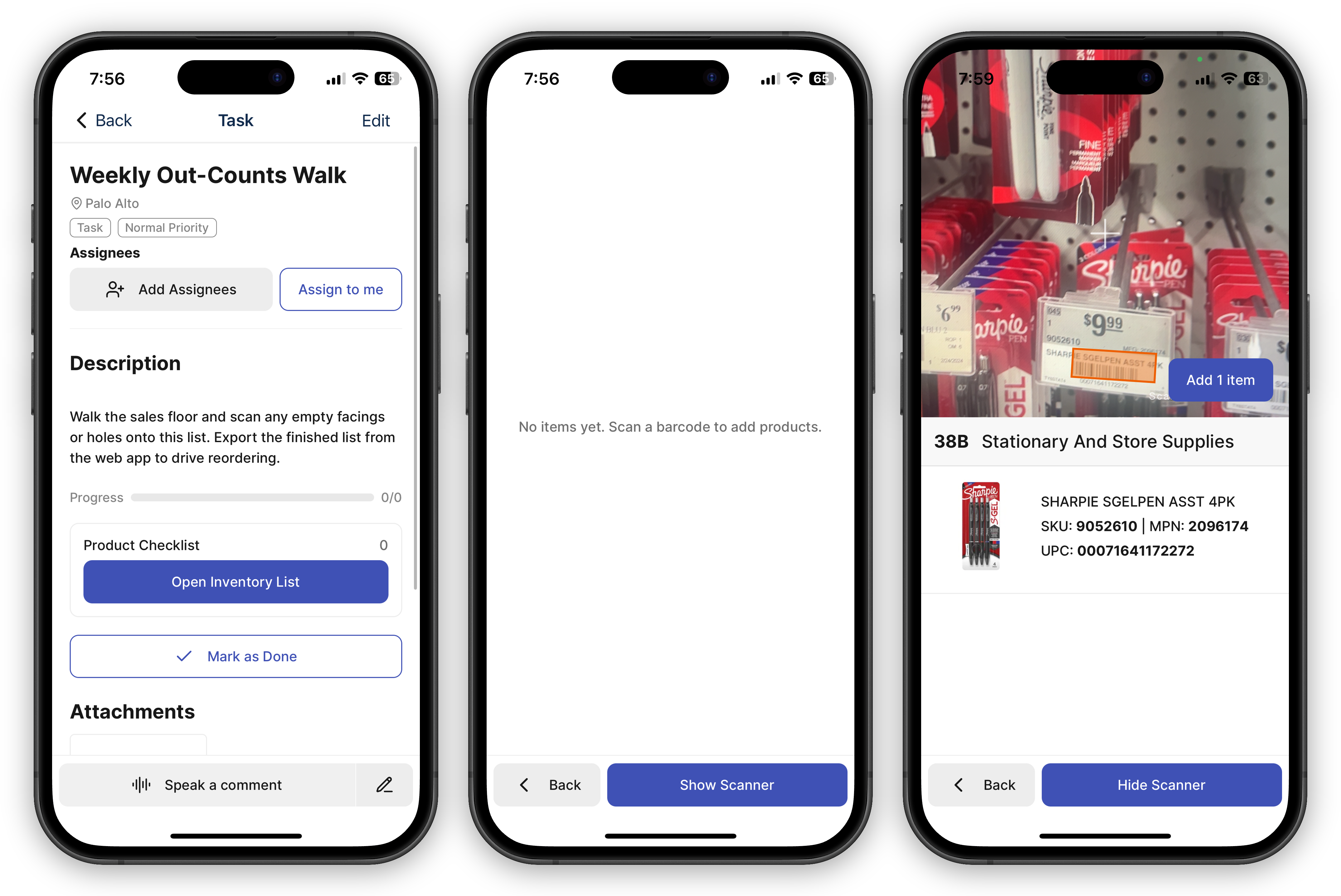
Section titled “Step 2 — Walk the Floor and Scan the Outs”Open the task on the mobile app and walk your aisles. Each time you find an empty facing, a hole, or an item running low:
- Use the camera barcode scanner to scan the product’s barcode — or the shelf label, if the product is gone entirely.
- The scanned product is added to the task’s list.
- Move on to the next out. Scan after scan, the list builds itself.
Because the list starts empty, you’re capturing outs in whatever order you walk the store — there’s no pre-set list to work through.
Step 3 — Export for Your POS or ERP
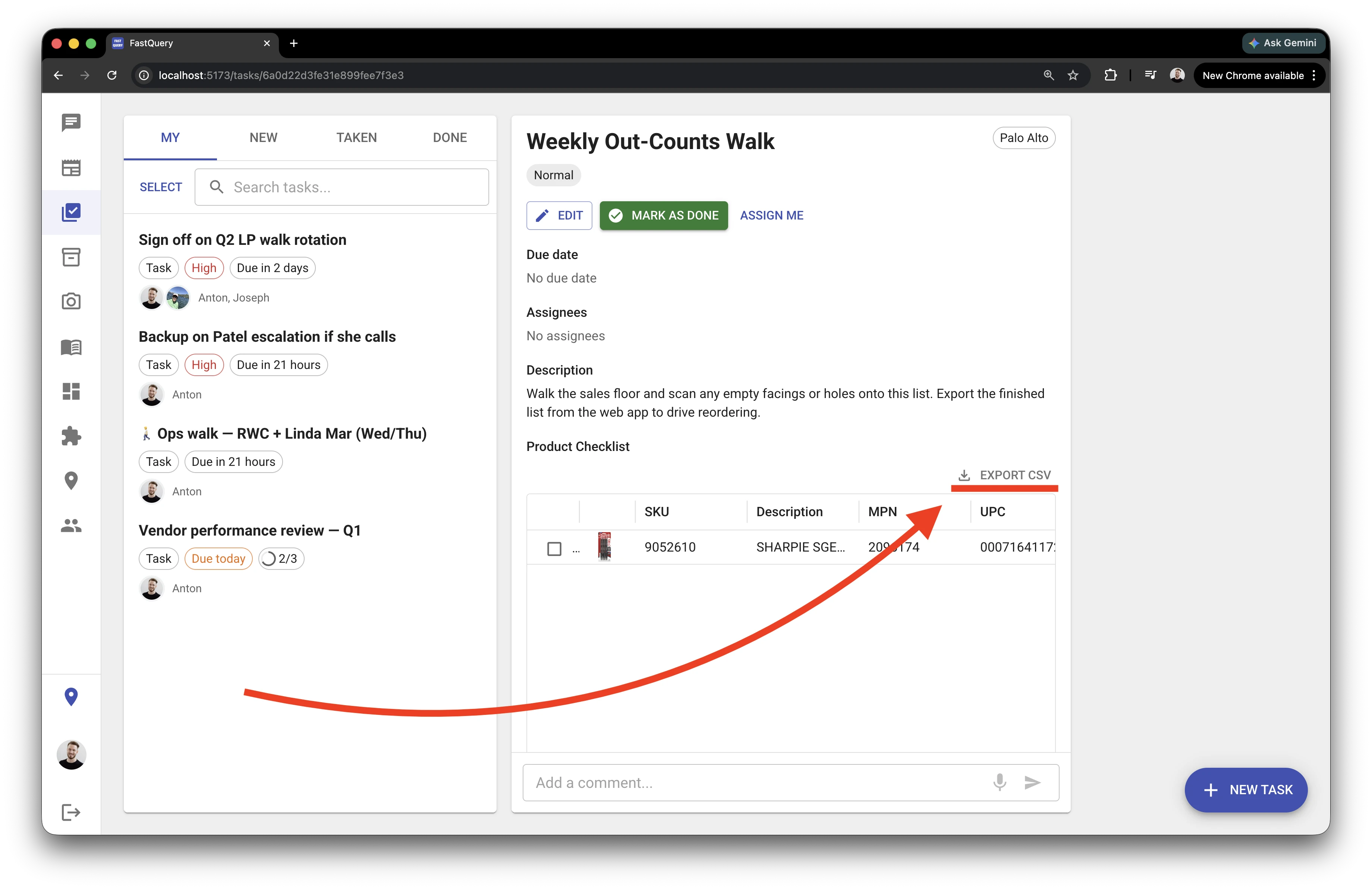
Section titled “Step 3 — Export for Your POS or ERP”When the walk is done, open the same task in the web app and use the Export button to download the list of scanned items. Import that file into your POS or ERP system to build your reorder.
FastQuery doesn’t place the order itself (yet) — the export simply hands a clean list of out-of-stock products to whatever ordering system you already use.
- One walk per task — each scheduled cycle is its own task, so its export lines up with that walk.
- The shelf label still works — when a facing is completely empty, the shelf label still carries the barcode, so you can scan and record the out.