
Suggested Next Steps
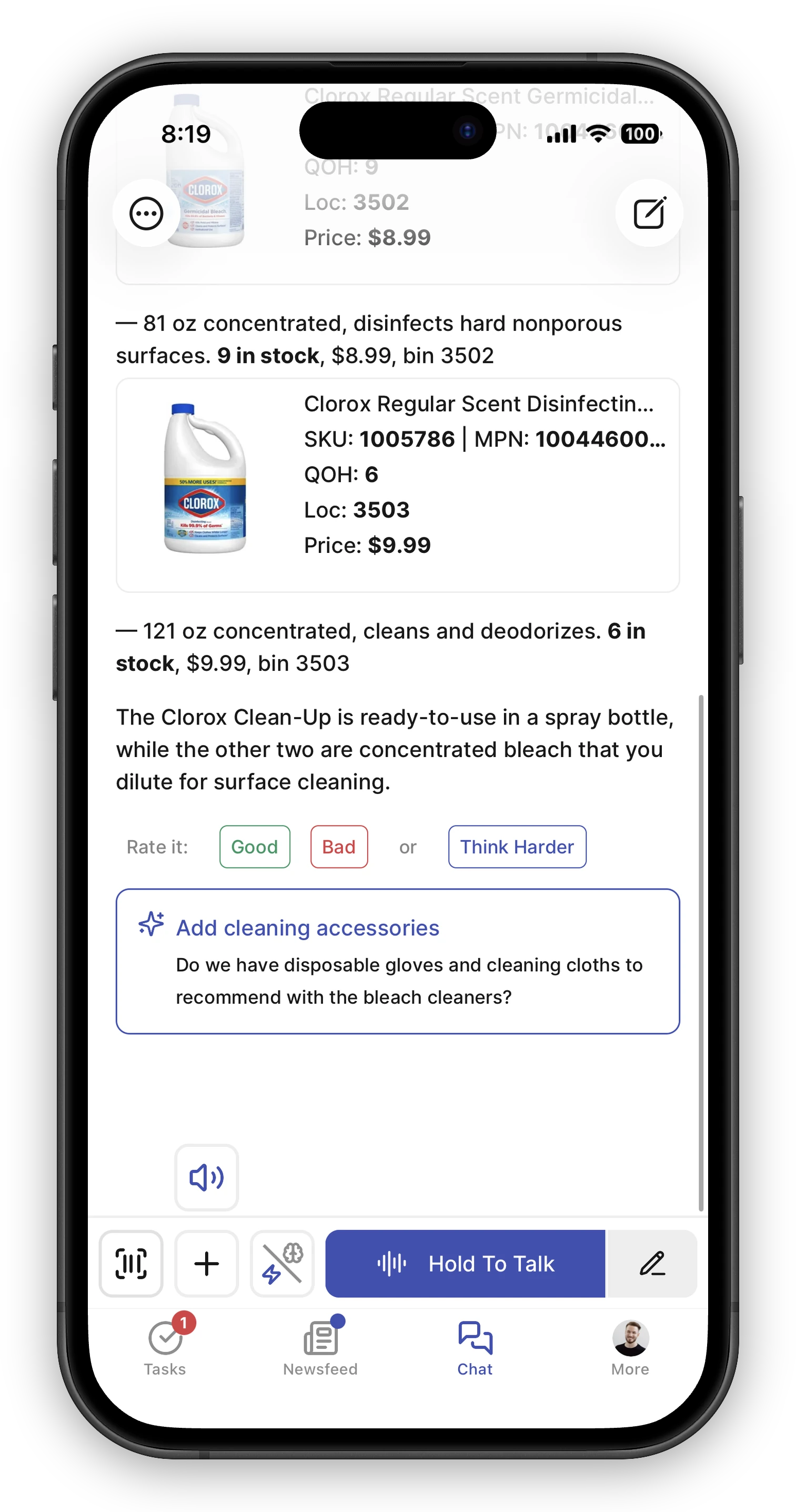
After the AI answers, it sometimes shows a single tappable suggestion just under its reply — a handy next thing to do. Tap it to act on it, or ignore it and keep typing your own message.
What a suggestion can be
Section titled “What a suggestion can be”- A follow-up question — phrased as if you typed it (“Check the other stores for more in stock”, “Make a restock task for this”). Tapping it sends that message for you, so you don’t have to type it out.
- Start a new chat — when your last message moved on to a clearly different topic, the AI may suggest opening a fresh conversation to keep things focused. Tapping it starts one.
The card looks different from the AI’s own replies on purpose — it’s outlined and marked with a sparkle — because it’s a shortcut for you to tap, not the AI talking.
Good to know
Section titled “Good to know”- You’ll only ever see one at a time, and most replies won’t show one at all. The AI only offers a suggestion when there’s an obviously useful next step — it won’t nag you.
- Suggestions are tailored to your role. A stock or department manager is more likely to see follow-ups that dig into replenishment, counts, or sales trends; someone answering quick questions at the counter will usually see none, since those are typically one-off lookups.
- A suggestion is just a shortcut. It only ever proposes something the AI can actually do for you — it won’t suggest placing an order or taking payment, since those aren’t things it handles.
- Suggestions are temporary. They clear as soon as you send a message or a new answer comes in, and they aren’t saved as part of the conversation.