Notifications
Push notifications keep you informed about tasks and team updates — so you never miss anything while you’re on the floor.
Task Notifications
Section titled “Task Notifications”You’ll receive notifications for key task events:
- New assignment — When a task is assigned to you
- Task completed or reopened — When it happens to a task you follow, such as one you created
- Comments and @mentions — When someone comments on a task you follow, or mentions you directly
- Due date reminders — You’ll get a heads-up 24 hours and 1 hour before a task is due
- Overdue alerts — If a task passes its due date without being completed
Feed Notifications
Section titled “Feed Notifications”Every new newsfeed post notifies everyone who can see the post’s locations — everyone except the author, who doesn’t need telling. There’s nothing to switch on and no way to mark one post as more notify-worthy than another: if it’s posted, it goes out. Pinning a post keeps it at the top of the feed for people who open it, but it doesn’t change who gets notified.
Posts follow the same schedule rules as task notifications, so a post made outside your hours waits for your next shift rather than buzzing you at home.
You’ll also be notified when someone comments on a post you wrote or already commented on, or @mentions you in a comment.
Tapping Notifications
Section titled “Tapping Notifications”Tap any notification to go directly to the relevant item — whether it’s a task, a feed post, or a conversation. No need to dig through the app to find what you’re looking for.
The Notification Inbox
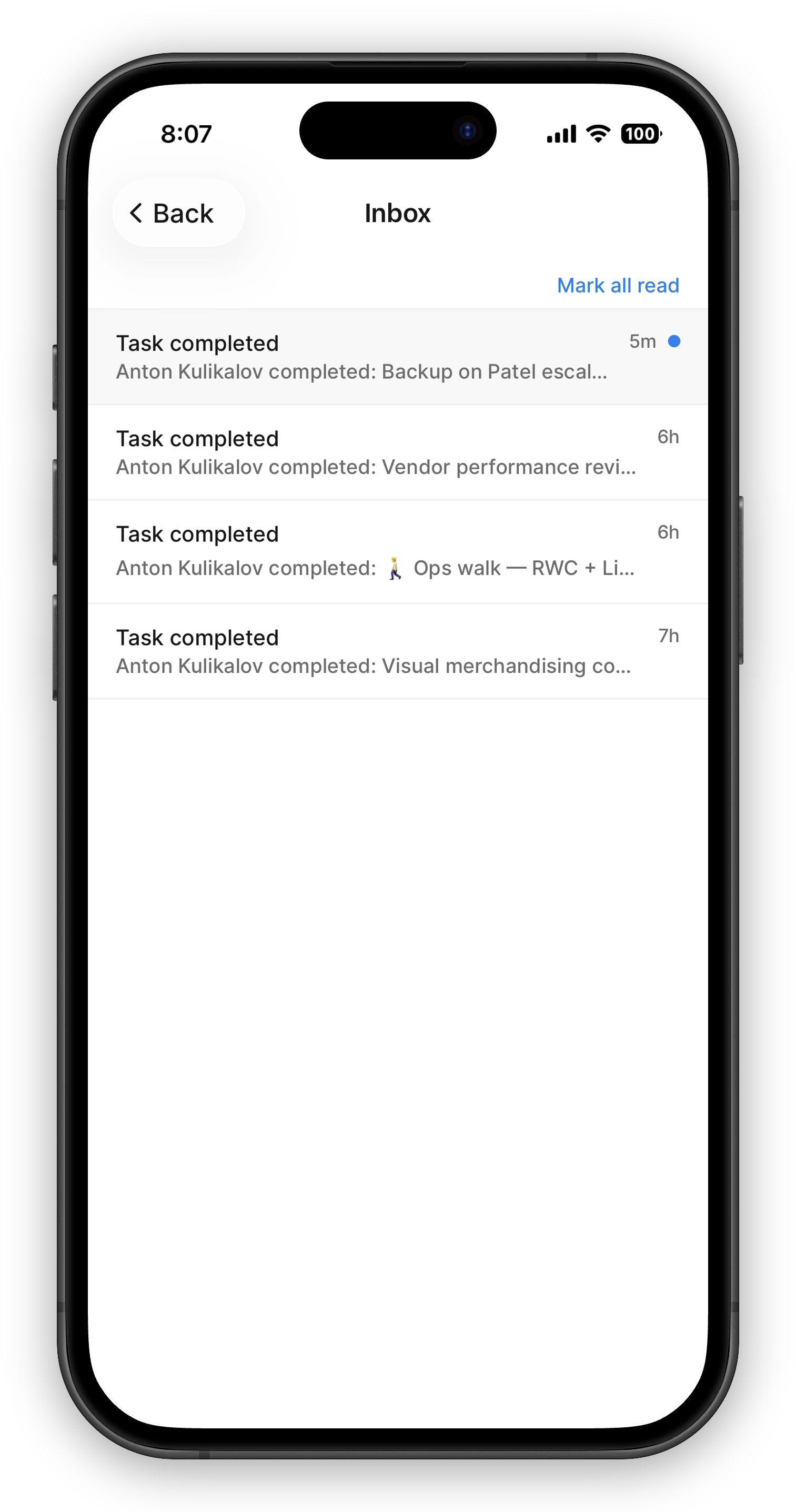
Section titled “The Notification Inbox”A push notification is easy to miss — your phone was off, you were on your day off, or it simply scrolled by. The Inbox is the safety net: every task notification also lands there and waits for you, so “what happened while I was away?” always has an answer.
- On mobile — open the menu at the top of the Tasks screen; Inbox is the first item, with your unread count next to it.
- On the web — Inbox sits in the left sidebar, with an unread badge.
Tap a notification to open its task; that marks it read. Mark all read clears the rest in one go. The Inbox fills up even while notifications are muted or held for off-hours, and keeps about 90 days of history — the durable record of any single task lives in its activity log.
When Notifications Arrive
Section titled “When Notifications Arrive”Notifications follow your work schedule — the hours you set when you completed your profile:
- You’re notified during the hours you’re on shift
- Anything generated while you’re off shift is held and delivered when your next shift begins
- You won’t be woken up at midnight because someone created a task
- Pushes are held for up to about a day — if you’re off longer than that (a vacation, say), held pushes are skipped rather than delivered in a burst, and the Inbox is where you catch up
To change the hours you’re on shift, edit your work schedule in your profile.
If you haven’t set a work schedule yet, a default daytime window (8 AM to 7 PM in the facility’s timezone) applies until you do.
Setting Up Notifications
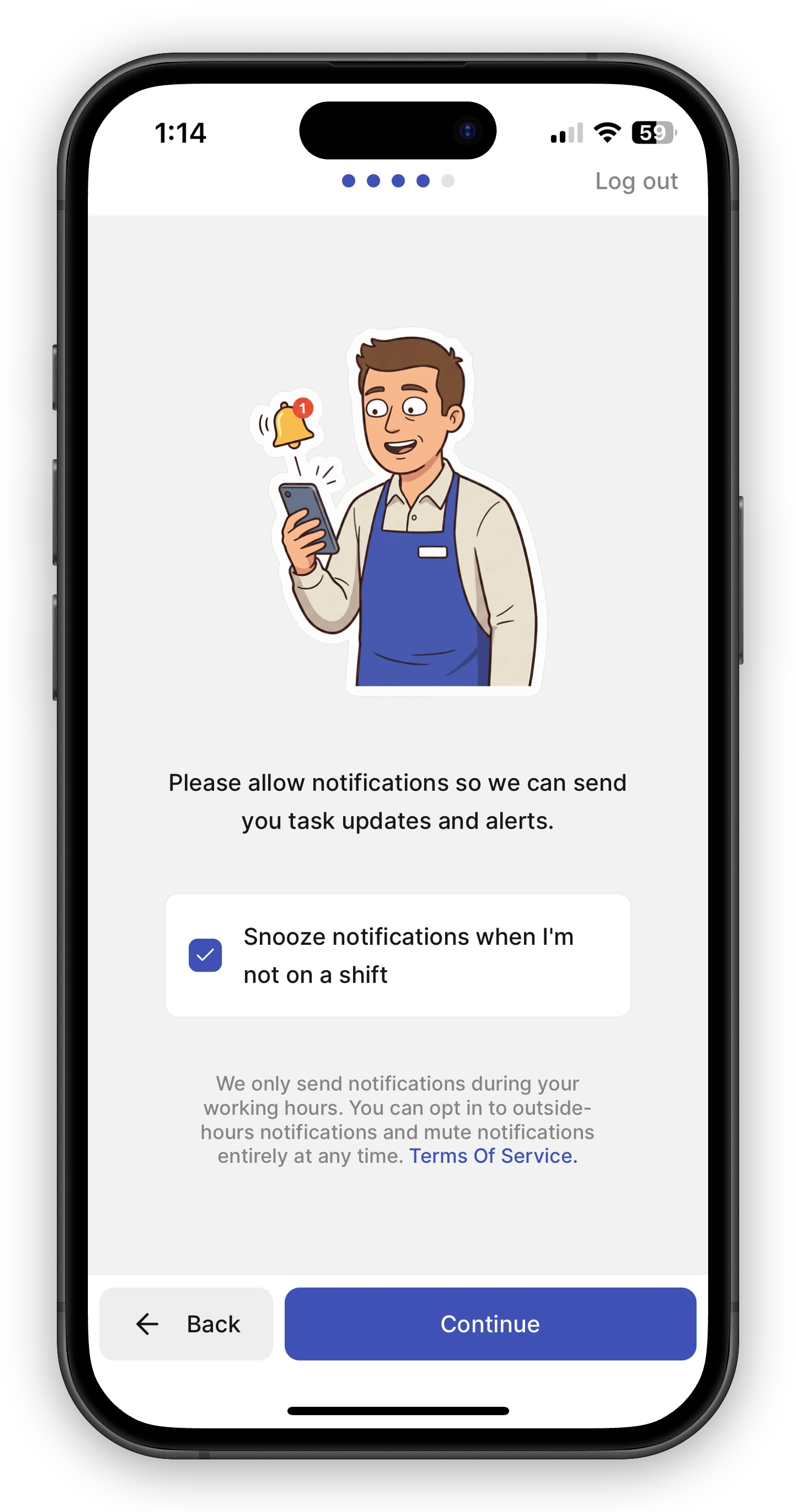
Section titled “Setting Up Notifications”When you first install FastQuery, the app will ask for permission to send notifications during onboarding. Make sure to allow notifications — this is the best way to stay on top of your tasks and team activity.
If you accidentally declined notifications, you can enable them later:
- iOS — Go to Settings > FastQuery > Notifications
- Android — Go to Settings > Apps > FastQuery > Notifications
Muting Notifications
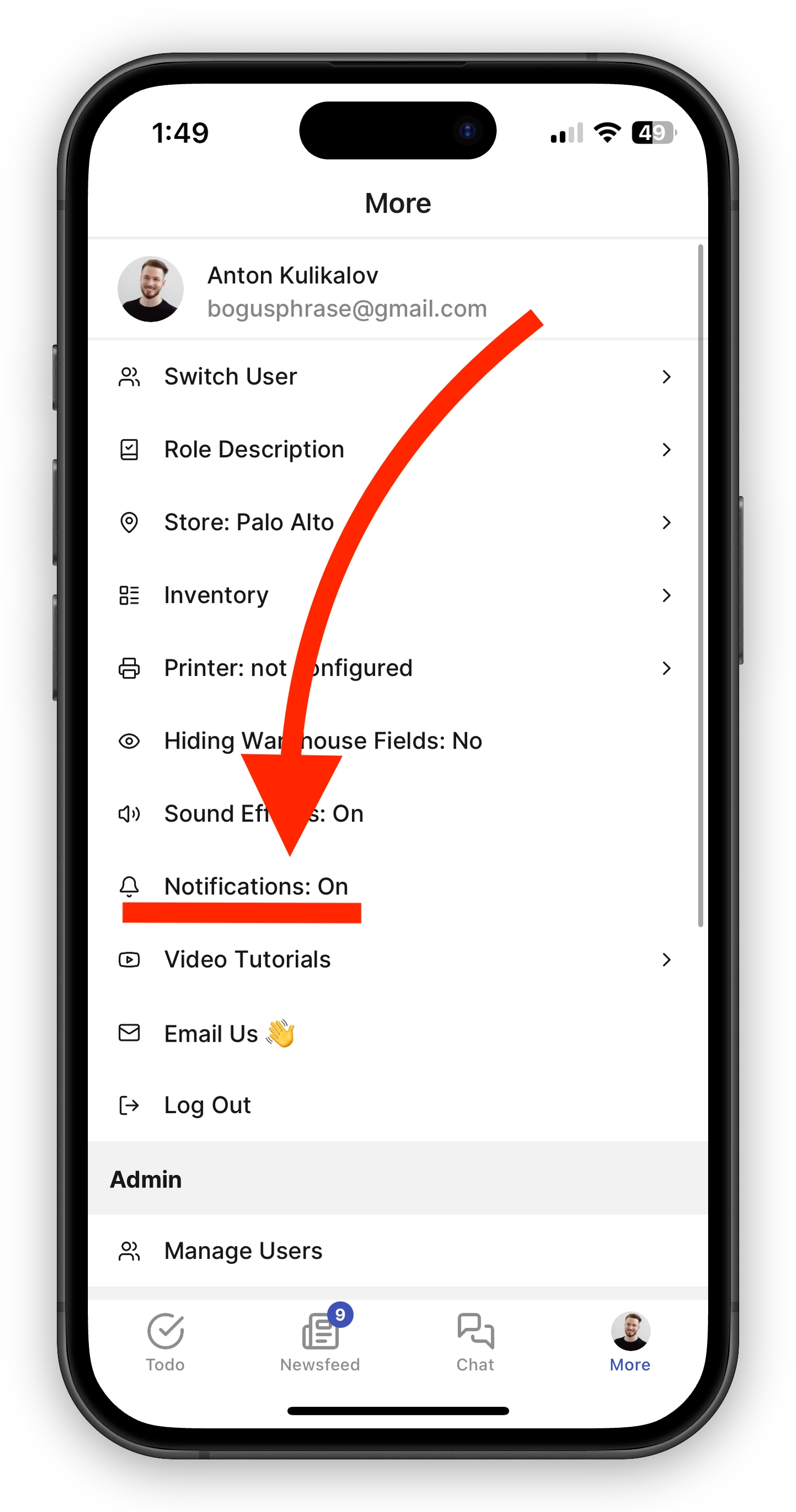
Section titled “Muting Notifications”Open the Settings screen in the FastQuery app to find the Notifications toggle. Set it to On to receive push notifications, or Muted to stop all of them. This is a single switch — when it’s muted, nothing comes through until you turn it back on.
During onboarding you’ll also see the option Snooze notifications when I’m not on a shift. Leaving it checked (the default) holds off-shift notifications until your next shift; unchecking it lets notifications reach you outside your scheduled hours. You can change your hours any time by editing your work schedule.