
Newsfeed
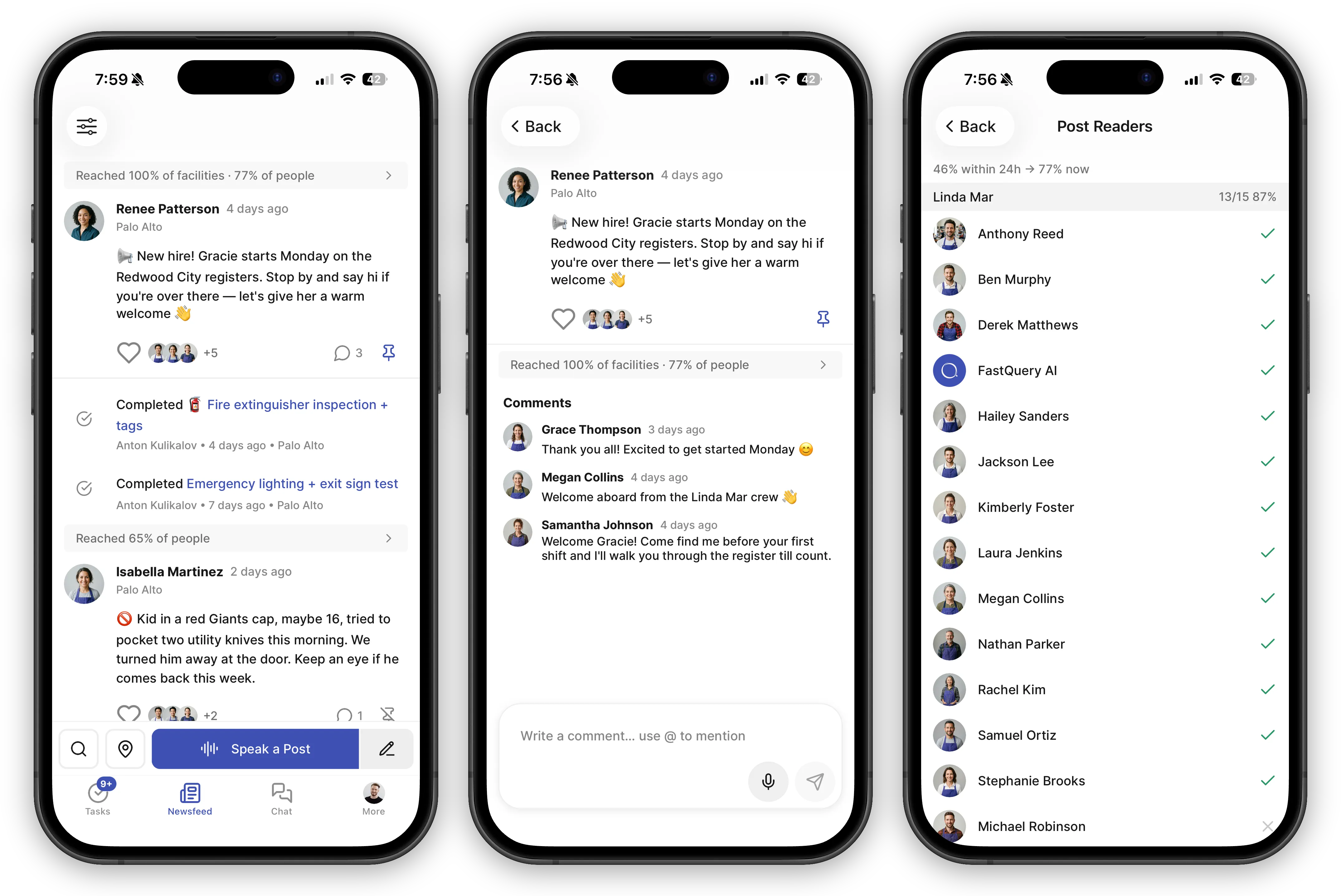
The Newsfeed is your team’s activity stream — a single place to see what’s happening across your store in real-time.
What Shows Up in the Feed
Section titled “What Shows Up in the Feed”Three types of content appear in your Newsfeed:
User posts — Messages shared by you and your team members. These can include text, photos, and videos. Use them for shift notes, announcements, shoutouts, and more.
System events — Automatic updates that keep everyone in the loop. You’ll see things like task completions, new user logins, and task assignments without anyone needing to post manually. Private tasks are the exception — they never post system events, so restricted work stays off the feed.
Announcements — Important notices and helpful tips from FastQuery. These keep you informed about new features, best practices, and things that need your attention.
Which Stores You See
Section titled “Which Stores You See”The feed opens on your home store. If your company has more than one facility, the map-pin button switches the view — all facilities, a single store, or any combination you pick. You see posts addressed to at least one of the stores you’re viewing. See Working Across Multiple Stores for how the picker works and what the app remembers.
Tune Out the Noise
Section titled “Tune Out the Noise”System events keep everyone in the loop, but not everyone wants every update. The filter button in the feed header opens a checklist of system-event categories — uncheck the ones you don’t want to see:
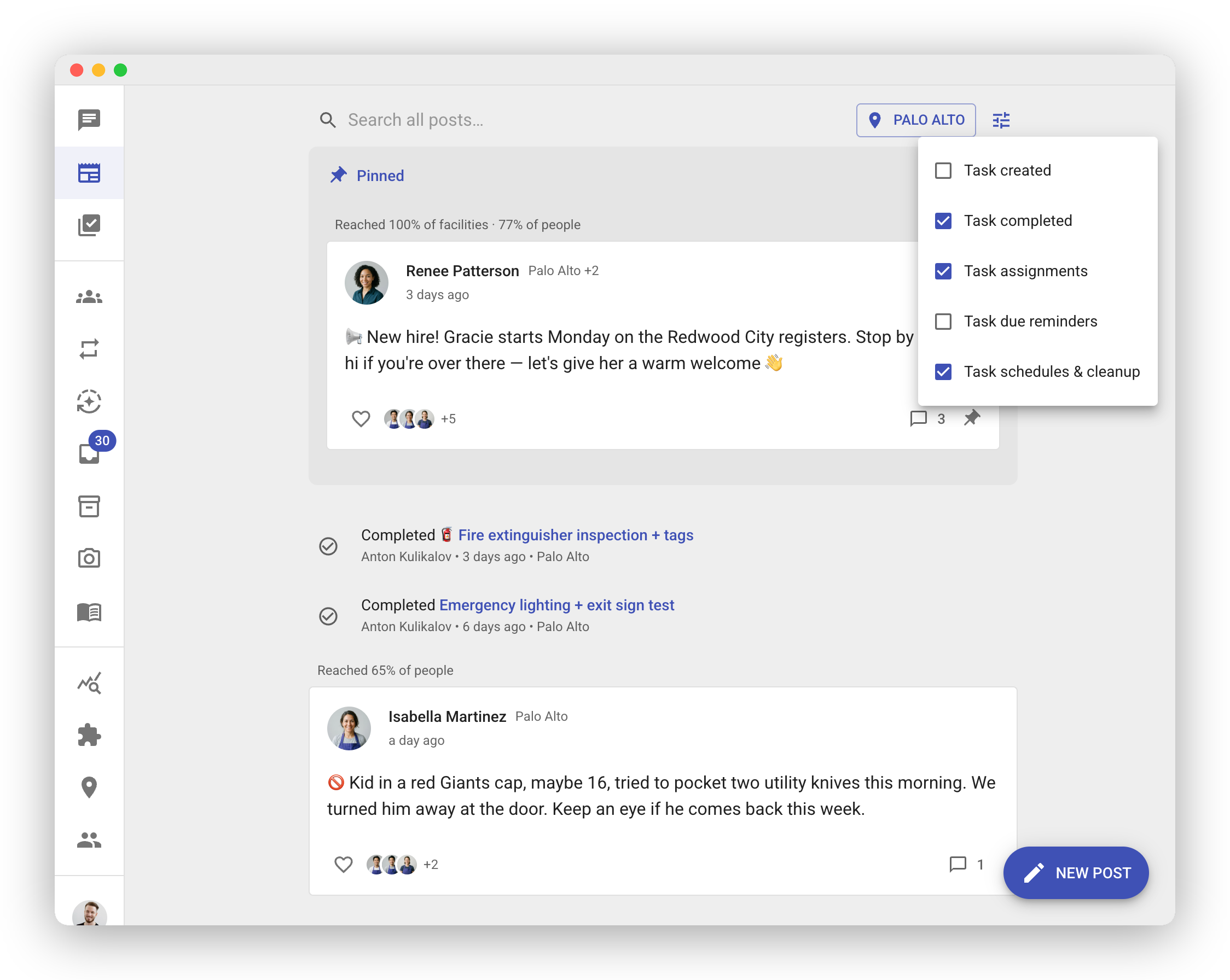
- Task created
- Task completed
- Task assignments
- Task due reminders
- Task schedules & cleanup
The setting is personal — hiding task completions for yourself doesn’t hide them for anyone else — and it follows you across mobile and web. Hidden categories disappear everywhere: the feed, unread counts, and new-post alerts all respect your filter. The filter button stays highlighted while any category is hidden, so you always know the feed is filtered.
Posts from your teammates, weekly reports, and announcements always show — only automatic system events can be filtered.
Never Miss an Update
Section titled “Never Miss an Update”Unread indicators — Posts you haven’t seen yet are highlighted so they’re easy to spot. A badge on the Newsfeed icon shows how many unread posts are waiting for you.
Pinned posts — Any post can be pinned to the top of the feed so it doesn’t get buried as new activity comes in.
Available Everywhere
Section titled “Available Everywhere”The Newsfeed works on both the mobile app and the web app, so you can stay connected whether you’re on the floor or at a desk.