
Mobile App Overview
The FastQuery mobile app puts AI-powered product knowledge right in your pocket. Hold the talk button, ask your question, and get an answer in seconds — no typing, no searching, no walking back to a computer.
Availability
Section titled “Availability”FastQuery is available for iOS and Android. It works great on standard smartphones and also supports Zebra enterprise devices commonly used in retail environments — including their built-in hardware barcode scanners, so a trigger-pull scans without opening the camera. See Barcode Scanning.
Voice-First Design
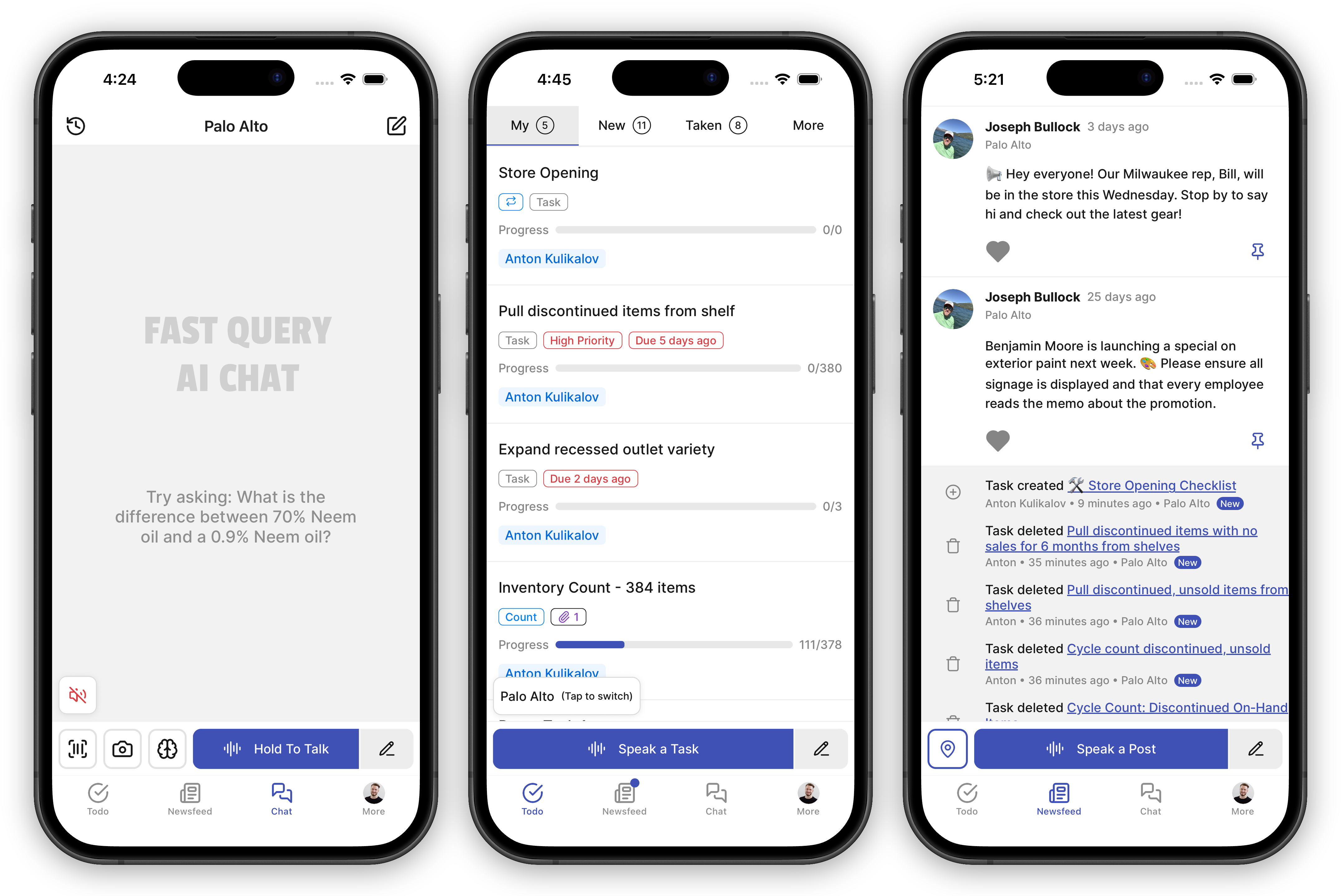
Section titled “Voice-First Design”The app is built around voice. Hold the talk button, ask your question naturally, and get an answer in seconds. No typing required — though you always can if you prefer.
Main Tabs
Section titled “Main Tabs”The app has four main tabs:
- Todo — Manage your to-do list on the go. View assigned tasks, create new ones, and mark items complete.
- Newsfeed — Stay connected with your team through a shared newsfeed. See announcements, updates, and important posts from your organization.
- Chat — The command center. Search inventory, create tasks, manage posts, identify products — all by voice or text. Barcode scanning and camera are available here too.
- More — Manage your profile, notification preferences, and app configuration.
Working at Multiple Facilities
Section titled “Working at Multiple Facilities”If you’ve been assigned to more than one facility, FastQuery shows your active facility at the top of the Chat tab. Everything you do — inventory questions, tasks, newsfeed posts — applies to that facility only.
To switch:
- Tap the facility name at the top of the screen.
- Pick a different facility from the list.
- The Chat, Tasks, and Feed tabs all switch over.
Your admin chooses which facilities you can see.
Getting Started
Section titled “Getting Started”Download FastQuery from the App Store (iOS) or Google Play (Android) and sign in with your organization credentials. The first time you sign in, the app walks you through a quick profile setup — your name, a short interview about your job, and your work schedule — and then you’re ready to go. See Completing Your Profile for the details.