

Checklists
Checklists let you break a task into smaller, trackable steps. They’re perfect for multi-step procedures where you need to make sure nothing gets missed.
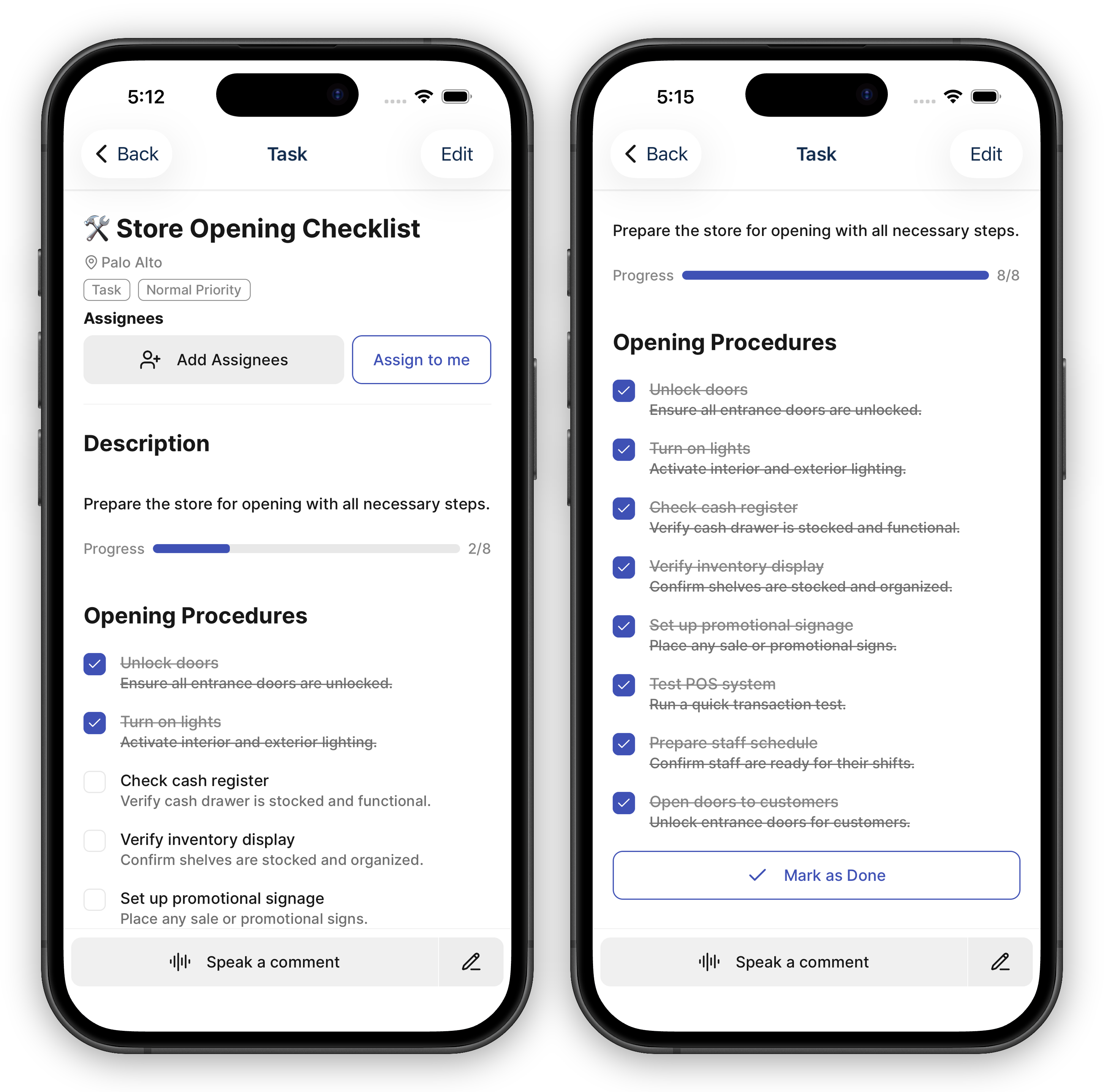
Adding a Checklist to a Task
Section titled “Adding a Checklist to a Task”- Open the task you want to add a checklist to
- Find the Checklists section
- Add a new checklist and give it a name (for example, “Opening Procedure”)
- Add items to the checklist — each item is a single step or action
You can add multiple checklists to a single task if the work has distinct phases or categories.
Working Through a Checklist
Section titled “Working Through a Checklist”As you complete each step, check off the item. The task shows your progress as a running X/Y count, so you and your team can see at a glance how much is done.
Checklist progress is also visible from the task list view without needing to open the full task, making it easy to scan for tasks that need attention.
If a task mixes checklist steps with a product list or a count sheet, the X/Y total combines them — checking off a checklist step and verifying a product (or scanning a count item) all advance the same progress count.
Checklists and Recurring Tasks
Section titled “Checklists and Recurring Tasks”When a recurring task resets on its schedule, all checklist items are automatically unchecked. This gives your team a fresh checklist for each new cycle — no need to manually reset anything.
Great Uses for Checklists
Section titled “Great Uses for Checklists”- Opening and closing routines — Step-by-step procedures your team follows each shift
- Receiving shipments — Track each step from dock to shelf in a single task
- Use checklist names — When a task has multiple checklists, clear names help your team find the right section quickly