

The Personal Weekly Task
Give every employee one small recurring task. It fires Monday morning, carries their standing duties as a checklist, and is due at the end of the week. It becomes the one place each person checks to know their week — and the one place the organization adds a new expectation without any new setup.
Why this shape works:
- The schedule creates the task. Nobody has to remember to start their week.
- Due-date reminders reach each person on their own task.
- A skipped week goes Missed — an honest per-person record. Ten missed weeks in a row pause the schedule and notify its creator, a natural signal that the person left or the routine died.
- A company-wide program becomes one new checklist line, not a new system. See the peer observation recipe for a worked example.
Creating One at Onboarding
Section titled “Creating One at Onboarding”The store manager sets this up once per hire, in the web app:
- Click New Task and type the title — “Weekly duties”.
- Similar past tasks appears under the title once you enter it: FastQuery suggests matching tasks from your store. Pick a teammate’s weekly duties task and the whole task, checklist included, copies onto your draft. An Undo link takes it back off if you picked the wrong one.
- Swap the assignee to the new hire. Adjust any lines that differ for their role.
- Open the Schedule section and set the repeat: weekly, Monday morning. Set the due date to the end of the week. Save.
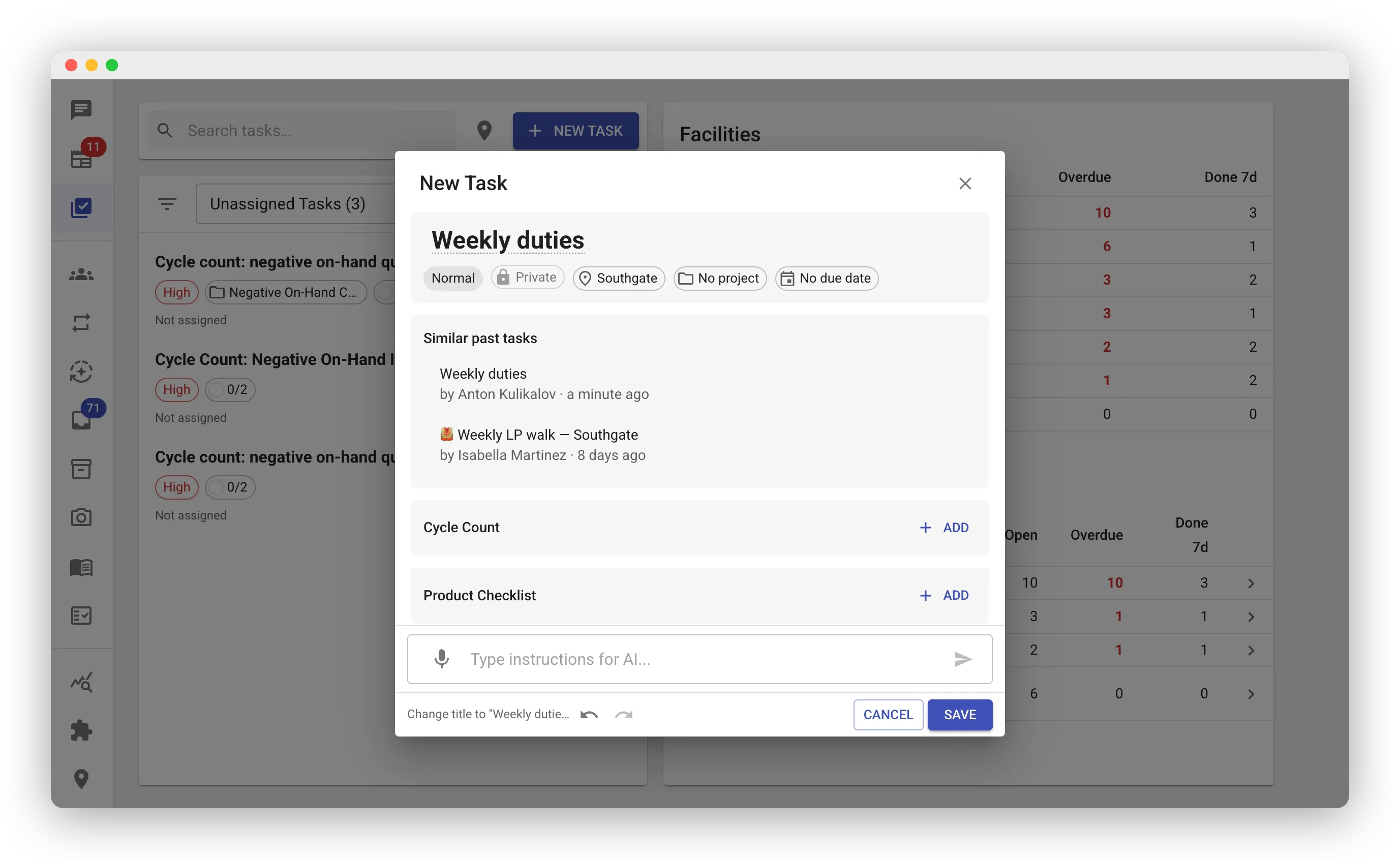
From then on the schedule does the work: a fresh task appears every Monday with all lines unchecked (see Recurring Tasks).
When Someone Leaves
Section titled “When Someone Leaves”Open the Recurring Tasks screen, select their weekly task, and press End series. Past tasks stay in history; no new ones appear.
What Goes on It
Section titled “What Goes on It”Checklist lines only — short, stable duties: “Face the front aisles”, “Check the propane cage”, “Peer observation — open the Sales observation task and submit one fill.” A line can point at another task when the work lives elsewhere, as the peer observation line does.
Keep forms off this task. A form belongs on its own task, where every fill collects into one series — see the warning in the peer recipe.